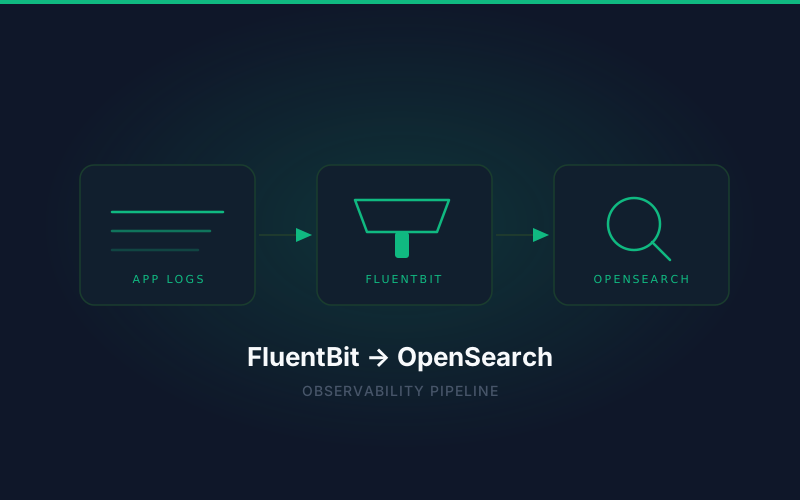

I’ve set up the FluentBit → OpenSearch log pipeline a few times across different environments. Each time I hit the same set of underdocumented rough edges. This is the post I wish I’d found the first time.
The basic shape of the pipeline#
[Application Pods]
      ↓ stdout/stderr
[FluentBit DaemonSet]
      ↓ parsed + enriched logs
[OpenSearch Ingest Node]
      ↓ index mappings
[OpenSearch Data Nodes]
      ↓
[OpenSearch Dashboards]
FluentBit runs as a DaemonSet, one pod per node, tailing container logs from /var/log/containers/. It parses them, enriches them with Kubernetes metadata (namespace, pod name, labels), and ships them to OpenSearch.
Simple enough in theory. Here’s where it gets interesting.
Gotcha 1: The Kubernetes filter and annotation filtering#
By default, FluentBit’s Kubernetes filter pulls all pod metadata and includes it in every log record. That sounds useful until you’re paying per-GB ingestion and you realize your logs are 40% Kubernetes metadata you never query.
Use Labels Off and Annotations Off unless you specifically need them, then selectively add back the fields you actually use in your dashboards:
[FILTER]
    Name              kubernetes
    Match             kube.*
    Labels            Off
    Annotations       Off
    K8S-Logging.Parser On
    K8S-Logging.Exclude On
Then use a Nest or Modify filter to promote just the fields you want.
Gotcha 2: Index template mapping conflicts#
OpenSearch is happy to auto-create indexes, and it will — with dynamic mappings that seem fine until you have a field that appears as a string in one log source and an integer in another. Then the second one silently fails to index.
Always define your index template before you start shipping logs. At minimum, lock down the types for your timestamp field and any numeric fields you plan to aggregate on.
{
  "mappings": {
    "properties": {
      "@timestamp": { "type": "date" },
      "response_time_ms": { "type": "float" },
      "status_code": { "type": "integer" }
    }
  }
}
Gotcha 3: Backpressure and the Mem_Buf_Limit#
Under load, FluentBit can buffer more than it can ship. If you don’t set Mem_Buf_Limit, it will grow unbounded and eventually get OOM-killed — which means you lose the buffer and drop logs.
Set a limit and accept that you’ll drop logs under extreme backpressure rather than kill the agent:
[INPUT]
    Name              tail
    Path              /var/log/containers/*.log
    Mem_Buf_Limit     50MB
    Skip_Long_Lines   On
Pair this with monitoring on FluentBit’s own metrics endpoint so you can see buffer utilization before it becomes a problem.
Gotcha 4: TLS and OpenSearch’s self-signed certs#
If you’re running OpenSearch with self-signed certs (common in homelab or staging environments), FluentBit will refuse to connect by default. You can disable TLS verification:
[OUTPUT]
    Name            opensearch
    tls             On
    tls.verify      Off
Don’t do this in production. In production, either add the CA cert:
tls.ca_file /path/to/ca.crtOr use a cert from a trusted CA. This sounds obvious but I’ve seen “just turn off verification” become a permanent configuration more than once.
The operational lesson#
The pipeline is reliable once it’s tuned, but it takes tuning. Give it a week of production traffic with all the metrics turned on before you declare it done. The failure modes are subtle — logs that silently fail to index look exactly like logs that just haven’t arrived yet.
More notes on the Prometheus + Alertmanager side of this stack in a future post.